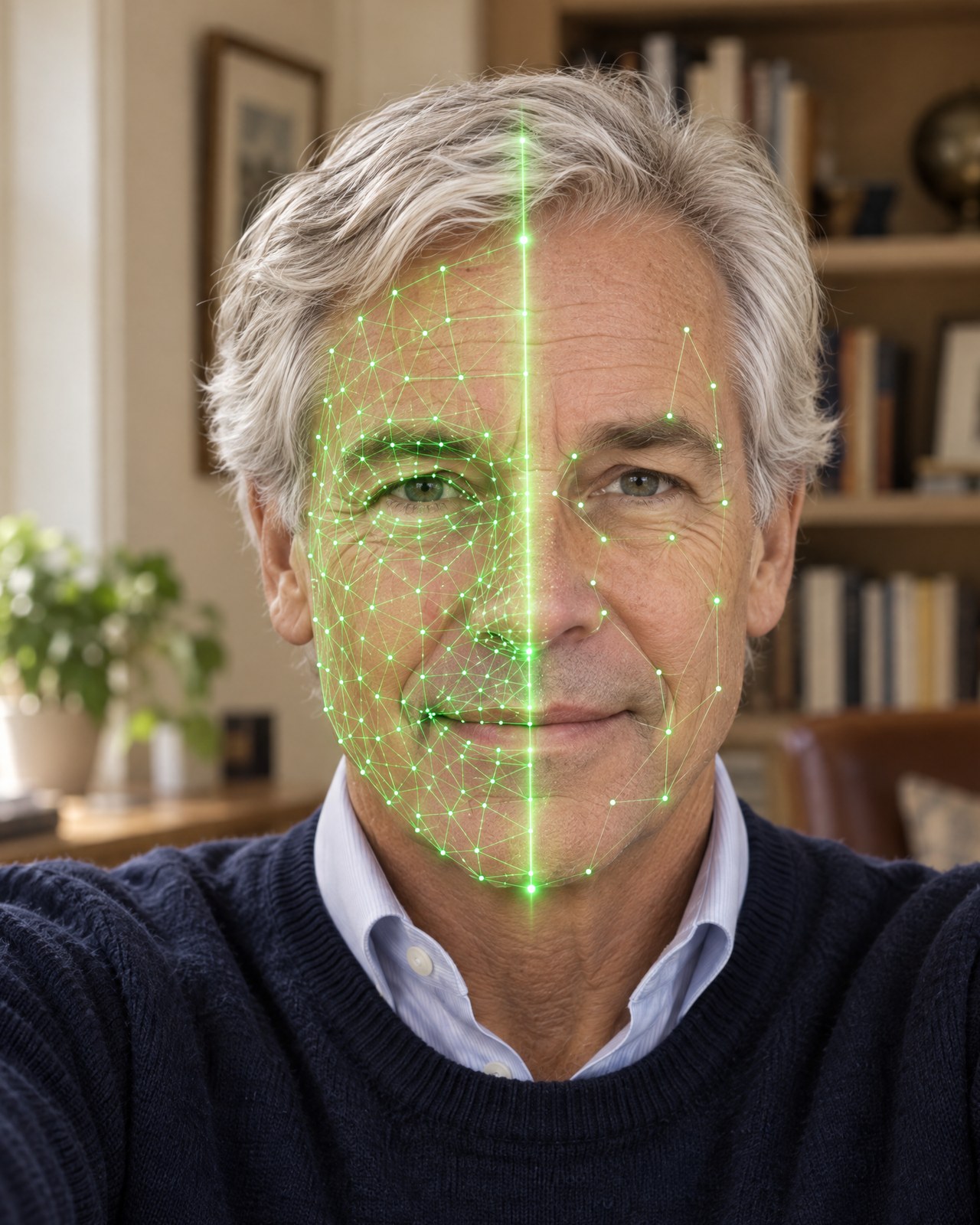
Incoming call · Richard Hayes“Hi, it’s Richard. I need to wire funds to a new account today.”
Your advisor“Of course, Mr. Hayes. I’ll set it up now.”
The voice is Richard’s. The caller isn’t.
The ground shifted
Confirm who is on the line, even when every check passes
An attacker who controls a client’s inbox and phone number, and has cloned their voice, can pass each check below. The same tools let a stranger call your client as your firm.
Your security team knows how often inboxes and phone numbers get taken over. AI adds the voice: a clone built from about 15 seconds of public audio can sound like your client. Recognizing the voice on the line was the check advisors and clients both trusted most, and it no longer holds on its own.
1
The inbox
A phishing link or a reused password gives the attacker the client’s email, so email confirmation passes.
Email confirmation: incorrectly passed
2
The number
An eSIM swap or carrier port-out moves the client’s phone number, so caller ID matches and text codes reach the attacker.
An urgent transfer request arrives from a client your firm has known for years, and every check passes.
Every check incorrectly passed
It was never them
What are the words?
Each device generates the three words locally. They rotate every 60 seconds, out of reach of anyone holding only the inbox and number.
Demo brand
9:41
Ellery Grant
Advisor’s phone
Hayes Family
CobaltLanternHarbor
New words in 42s
Rotates every 60 secondsPaired with Richard’s phone
Whoever answers asks: What are the words?
Demo brand
9:41
Ellery Grant
Client Verification
Hayes Family
CobaltLanternHarbor
New words in 42s
Rotates every 60 secondsGenerated on this phone
Whoever answers asks: What are the words?
Advisor · Paired phoneThe three words for the Hayes Family group, on the advisor’s phone.
Client · Richard’s phoneThe same three words, on his phone.
Every 60 secondsBoth change at the same moment. A caller holding only his inbox and number doesn’t have them.
Richard’s phone and his advisor’s phone, paired in one group, show the same three words, changing together every 60 seconds.
The new standard
Verify every call in seconds, and escalate any doubt
Whoever places the call gives three live words, and whoever answers checks them, in one question. For doubtful requests, a signed live selfie adds proof, and your existing controls still run before funds move.
1
Either side calls. Your client’s device generates three live words in your firm’s app, and the words rotate every 60 seconds.
2
Your advisor sees the same words. Their phone is paired with the client’s in one group and shows the same three words. More of your team can join that group.
3
Whoever answers asks. When the client calls, the advisor asks “What are the words?” When the advisor calls, the client asks, and the advisor reads them from their phone.
4
Any doubt, a Proofie™. The advisor requests a live selfie, signed by the client’s passkey after a Face ID, fingerprint, or passcode check. The signature covers the exact photo plus the time and place, and any edit breaks verification.
Demo brand
9:41
Ellery Grant
Client Verification
Hayes Family
CobaltLanternHarbor
New words in 42s
Rotates every 60 secondsGenerated on this phone
Whoever answers asks: What are the words?
Steps 1 to 3
Demo brand
9:41
Proofie™ request
Your Ellery Grant advisor asked for a Proofie™ to confirm a request.
Take a live selfie. Your passkey signs it after Face ID, fingerprint, or passcode.
Take Proofie™
Step 4: the request
Demo brand
Face ID unlocked the key
Fingerprint watermark
Proofie™
EGv7…k2Rq
Signed with
Passkey (P-256)
Not before
Arbitrum One#472,918,305
Place (signed)
Palm Beach, FL
Owner controls
Password protected ·Delete any time
Verified by Ellery Grant
Step 4: verified
Swipe for the next screen
Both directions
When your firm calls, your clients need to know it’s you.
Fraud runs both ways. Attackers impersonate your firm to get clients to share access or approve transfers, and they impersonate clients to move money. The same three words cover both calls.
The same three live words verify the firm calling a client and a client calling the firm.
When your firm calls a client
Your client verifies the advisor
Your client asks, “What are the words?” Your advisor reads all three from their phone, and the client checks them in their app before sharing anything.
“Mr. Hayes, this is Ellery Grant compliance. We’ve flagged your account. Please confirm your login so we can secure it.” Richard asks for the words. When the caller can’t give them, he hangs up and calls his advisor on the number he knows.
What are the words?
AdvisorClient
Cobalt · Lantern · HarborSame three words, both directions
When a client calls your firm
Your advisor verifies the client
Your advisor asks, “What are the words?” The client reads all three from their Ellery Grant ID Verify app, and your advisor checks them on their own phone before acting.
What are the words?
ClientAdvisor
The rule never changes: whoever places the call says the words. Whoever answers checks them.
What’s at stake
Protect the relationships one misdirected transfer could end
The cost of one misdirected transfer reaches well past the transfer itself.
The funds. A forged request moves funds on your firm’s authority, to an account your client never chose.
The relationship. Years of trust with a client can turn on one call your advisor approved.
The headline. A misdirected transfer can become a public story about your firm.
Security you can verify
Your security team can test each security claim below
Each box below links to its source or to a review with us, so your security team can test what we say.
Why it works
Nobody in the middle can see or fake the words
Not us, not your IT team, and not a hacker who breaks into our servers. Only the client’s phone and an advisor phone your firm has enrolled ever see the real words.
Client’s phone
Sees the live words
Encrypted
1
Sealed enclave
Hardware-sealed. No one can log in, look inside or change the code.
2
Key vault
Opens only for the approved code
6
Code fingerprint match
Encrypted
Enrolled advisor phone
Sees the live words
4Hardware-backed key
5Enrolled by you, more than one approver
3Locked out: can’t read or forge the words
Trust Onion engineers
Your IT team
A hacker on our servers
1
The words are made in a sealed box
The words are created and unlocked only inside a hardware-sealed compartment in the cloud, called an enclave. Nobody can log into it, look inside or change what runs there, including us.
2
The key only works for the approved software
The encryption key lives in the cloud provider’s key vault, and it opens only for that sealed box running the exact version of the code that was published. If anyone changes a single line, the key stops working.
3
We locked ourselves out on purpose
Our own engineering account is explicitly blocked from decrypting anything. We can deploy and run the system, but we can’t read or forge the words. Even a rogue employee or a breach of our servers gets nothing usable.
4
Staff need an enrolled phone, not just a password
Your advisors can see a client’s words only on a phone your firm has enrolled with hardware-backed keys. A stolen password alone isn’t enough.
5
You control who gets enrolled
Staff enrollment is signed with a key your firm holds, and it needs more than one person to approve it. We can’t quietly add a staff member.
6
Checkable, not “trust us”
Your security team can rebuild the software themselves and confirm it produces the exact same fingerprint the key is tied to. They can verify it without relying on us.
Designed so that no one in the middle, including us, can read or forge the words, and you can verify that yourself.
This design is covered by U.S. and international patent applications, filed and pending.
The signature includes a recent public block hash, a value no one could know in advance, which shows the photo was taken after that moment. Nothing is written to a blockchain.
Your clients carry a safety app that bears your name
Your clients get a verification app in your firm’s name, published under your own App Store and Google Play accounts. We build, submit, and maintain it.
A welcome screen in your brand. The first thing clients see is your firm’s name and logo.
Set up in a minute. Your firm invites each client, and the app opens ready, with their advisor already in the group.
One set of words per family. Relatives join the client’s group and share its three words, the same ones your advisor sees.
A welcome letter on your letterhead. It introduces the app and the one question that now runs both ways.
Demo brand
9:41
Welcome to Ellery Grant ID Verify
When you call your advisor, three words confirm it’s you. When we call you, ask us for the same three words.
Get started
Demo brand
9:41
Your group
Hayes Family
You
Spouse
Daughter
Granddaughter
Your Ellery Grant advisor
Everyone in this group sees the same three words.
Invite family
Swipe for the next screen
Demo brand
Dear Mr. Hayes,
When you call us to move funds, your advisor will now ask one question: “What are the words?”
You will find the answer in Ellery Grant ID Verify, our app for your phone. It shows three words that rotate every 60 seconds, generated locally on your device.
If a request ever needs a closer look, your advisor may ask for a Proofie™. You take a live selfie, and your passkey signs it after a Face ID, fingerprint, or passcode check.
It works both ways. When anyone from Ellery Grant calls you, ask for the words before you act. If the caller can’t give them, hang up and call your advisor on the number you know.
This adds to the safeguards you already know. Our callbacks and reviews stay in place.
Warm regards,
Your advisory team Ellery Grant Private Wealth
Scales with the risk
Match the check to the risk your policy defines
Your verification policy sets the thresholds, and we help you write it. Advisors escalate to a Proofie™ when a threshold or trigger applies.
Set by your verification policy
Normal requests
The three words, on every call your policy treats as routine.
When all apply
Below your threshold
Known beneficiary, account, and destination
No urgency or secrecy
Words given promptly and correctly
Nothing feels off
Threshold: set by your verification policy
Three words
Set by your verification policy
Elevated requests
The three words and a Proofie™, whenever your policy’s triggers apply or anything feels off.
When any applies
Above your threshold
New beneficiary, account, or destination
Urgency or secrecy
Words slow, wrong, or refused
Anything that feels off
Threshold: set by your verification policy
Three words + Proofie™
At both tiers, your callbacks, compliance review, and dual approval still run, as your policy sets them.
The return
Give clients visible protection, and move before your industry does
88%of financial executives say a successful cyber-attack would trigger client withdrawals.83%of family offices are concerned about deepfakes or other impersonation threats.
Verified identity.Three words and a Proofie™, for calls where voice, face, caller ID, and email can all be faked.
Clients who can check it’s you. A safety app in your brand tells clients whether a call from your firm is real, plus a family circle that shows your firm looks out for them.
Reputational risk, cut at the source. Lowers risk of fraud, so one misdirected transfer is less likely to cost a client relationship or become a headline.
Frictionless for the team. Each advisor reads the words on their own paired phone, on every call, in or out.
Past email confirmation. Your firm moves first, while the industry still confirms transfers by email.
A conversation with your carrier. A stronger verification record is worth discussing with your carrier.
Next step
Settle your security team’s questions before you commit
Send this page to your security team, then book a review with us before you decide.
Your security team can test how the three words and Proofies™ work. We cover how phones are paired and enrolled, and where your existing controls fit.
We use optional cookies to understand how our site performs. They stay off unless you accept.
Privacy Policy
Your privacy choices
Choose which optional cookies and similar technologies we may use on this website. You can change this at any time from the “Your Privacy Choices” link in the footer.
Your browser is sending a Global Privacy Control signal, so analytics and advertising stay off. We treat it as a request to opt out of the sale or sharing of your personal information.
Strictly necessary
Remember this choice, keep sign-in and security features working, and prevent abuse of our forms. Always on.