
When the family calls the office
Your office verifies the family
Your team asks, “What are the words?” The family member reads all three from their Whitcombe ID Verify app, and your team checks them on the request before acting.
Family office verification
Cloned voices and faces now target high-net-worth families and the offices that act on their behalf.
Trust Onion puts identity verification in an app branded as your office. Don’t trust the voice. Verify the family.
Book a security review For security teams: how it’s secured

The next call from her might not be her.
The ground shifted
An attacker who controls the principal’s inbox and phone number, and has cloned her voice, can pass each check below.
Your office already guards inboxes, devices and travel plans. AI adds the voice: a clone built from about 15 seconds of public audio, from a gala speech or an interview, can sound like the principal. Recognizing her voice was the check your team trusted most, and it no longer holds on its own.
A phishing link or a reused password gives the attacker the principal’s email, so email confirmation passes and her calendar shows when she is traveling.
A SIM swap or carrier port-out moves the principal’s phone number, so caller ID matches and a callback reaches the attacker.
About 15 seconds of public audio can be enough to clone a voice, and a video call can be faked the same way.
An urgent wire to close a property, outside the usual pattern, with the attorney left out.
Each device generates the three words locally. They rotate every 60 seconds, out of reach of anyone holding only the inbox and number.

#2291 · $1,800,000 · Montecito closing
Maya Whitcombe (phone)

WITH THE OFFICE
Rotates every 60 secondsGenerated on this phone
Every direction
Attackers impersonate the principal to move funds, impersonate the office to get family members to share access or approve payments, and impersonate family members to each other. One app covers every one of those calls.
The same three live words verify the family calling the office and the office calling the family. Family members also verify each other in their own groups, with words the office never sees.
When the family calls the office
Your team asks, “What are the words?” The family member reads all three from their Whitcombe ID Verify app, and your team checks them on the request before acting.
When the office calls the family
The family member asks, “What are the words?” Your team reads all three from the office view, and the family member checks them in their app before sharing anything.
“Theo, it’s James from the office. I need you to confirm your bank login.” If James can’t give the words, Theo hangs up.
When the family calls each other
The family runs its own groups in the same Whitcombe ID Verify app, with three words your office never sees. When Theo calls his father from a new number asking for help, Daniel asks, “What are the words?” before he does anything.
The rule never changes: whoever places the call says the words. Whoever answers checks them.
What’s at stake
The cost of one misdirected wire reaches well past the wire itself.

The new standard
Your team matches three live words against the request in one question. For doubtful requests, a signed live selfie adds proof, and your dual approval still runs before funds move.
The principal calls. Her device generates three live words in the office’s app, and the words rotate every 60 seconds.
Your team sees the same words. They appear on the request in the office view.
The principal confirms. Your team asks “What are the words?” and she reads them aloud.
Any doubt, a Proofie™. Your team requests a live selfie, signed by her passkey after a Face ID, fingerprint, or passcode check. The signature covers the exact photo plus the time and place, and any edit breaks verification.
WITH THE OFFICE
New words in 42s
Rotates every 60 secondsGenerated on this phone
Your Whitcombe office asked for a Proofie to confirm a request.
Take a live selfie. Your passkey signs it after Face ID, fingerprint, or passcode.
Take ProofieFace ID unlocked the key
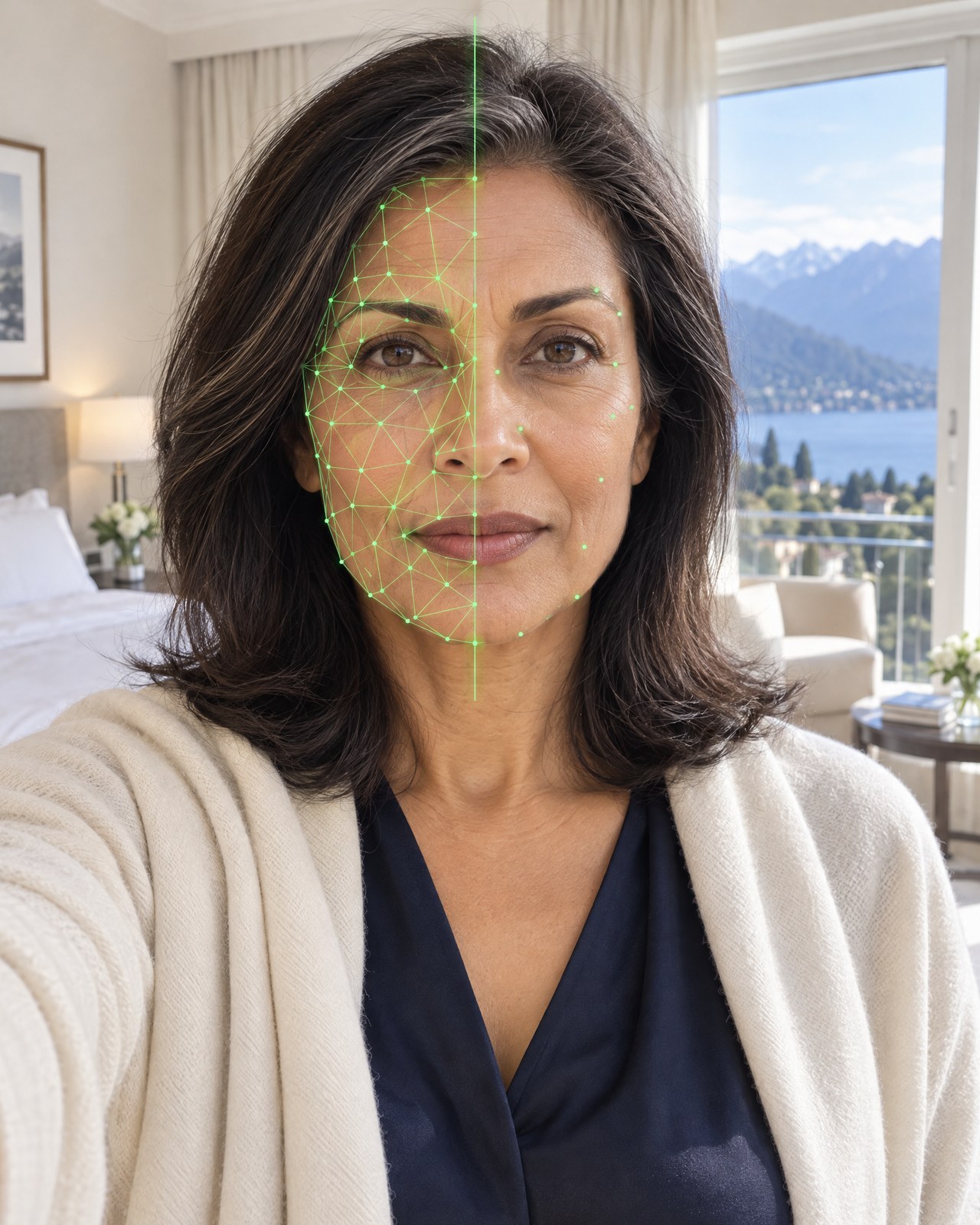
Fingerprint watermark

Proofie™
WFc2…r8Tn
Verified by Whitcombe
Swipe for the next screen
Inside your approvals
When a request comes in by phone, the three live words appear on it in the office view. Your team asks one question, confirms the match, and the request moves to your second approver with the check recorded.
Nothing replaces your dual approval or your bank’s callback. The second approver sees the request was verified before they sign off, and when your policy calls for it, your team requests a Proofie from the same screen. We set up the office view in our console or inside the tools your team already uses.
#2291 · $1,800,000 · Montecito closing
Maya Whitcombe (phone)
Ask: What are the words?
Caller check recorded · 9:41 AM
James: What are the words?
Maya: Emerald Anchor Orion.
Security you can verify
Each box below links to its source or to a review with us, so your security team can test what we say.
Each device generates three codewords per group locally. They rotate every 60 seconds and work offline.
Read the privacy policyA patent-pending live selfie, signed by the family member’s passkey after a Face ID, fingerprint, or passcode check. The signature covers the exact photo plus the time and place; any edit breaks verification.
Visit proofoflife.ioIt works alongside callbacks and dual approval.
Book a security reviewBring your security team; we answer every question.
Book a security reviewEach group key sits in a secure enclave on the deployment server and on each family member’s phone. Your team sees the words for its own groups, never the key.
Book a security reviewEach family member’s passkey is bound to their phone. Our server stores only the public key, never the private key.
Book a security reviewThe signature includes a recent public block hash, a value no one could know in advance, which shows the photo was taken after that moment. Nothing is written to a blockchain.
Read our privacy policy and terms.
For the family
Family members get a verification app in your office’s name, published under your own App Store and Google Play accounts. We build, submit, and maintain it.
When you call the office, three words confirm it’s you. When we call you, ask us for them.
Get startedYou, Daniel, Eleanor, Theo, James (family office)
You, Daniel, Eleanor, Theo, Asha
Each group has its own three words. The office only sees words for groups it’s in.
Invite familySwipe for the next screen

Dear Maya and family,
When you call the office, we will now ask one question: “What are the words?” You’ll find them in Whitcombe ID Verify, our app for your phone.
It works both ways. When we call you, ask us for the words. Your family can also set up its own groups for calls between yourselves; we never see those words.
Our callbacks and approvals stay in place.
With warm regards,
James Holloway
Head of the Whitcombe Family Office

Scales with the risk
Your verification policy sets the thresholds, and we help you write it. Your team escalates to a Proofie when a threshold or trigger applies.
Set by your verification policy
The three words, on every call your policy treats as routine.
When all apply
Threshold: set by your verification policy
Three words
Set by your verification policy
The three words and a Proofie, whenever your policy’s triggers apply or anything feels off.
When any applies
Threshold: set by your verification policy
Three words + Proofie
The return
83% of family offices are concerned about deepfakes or other impersonation threats 60% staff confidence in spotting AI-powered attacks, the lowest of any firm type surveyed 72% believe they are targeted more often because they manage high-net-worth assets
Source: Omega Systems, 2025 Financial Services Cyber Resilience Report.
Questions
The principal and the office share three words that rotate every 60 seconds in an app branded as your office. When she calls, your team asks “What are the words?” and checks her answer before acting. A voice clone can copy how she sounds, but not the three words on her phone.
No. It adds a check before them. Callbacks fail when an attacker has moved the principal’s phone number, and the three words still hold when that happens. Your dual approval runs as it does today.
Yes. Whoever places the call says the words, and whoever answers checks them. If someone calling from “the office” can’t give the words, the family member hangs up and calls back on a number they know.
The words are generated on her phone and work without a connection, so they are there wherever she is.
Your team sees the current words for the groups your office is in, never the key. Each group key sits in a secure enclave on the deployment server and on each member’s phone.
Your office’s. The app carries your office’s name and crest, published under your own App Store and Google Play accounts.
Yes. The family sets up its own groups in the same app, each with its own three words, and your office never sees them. When a son calls his father from a new number asking for help, his father asks for the words before doing anything.
In our office console, or inside the tools your team already uses. We set up the connection during deployment.
Proofies are private by default for family offices. A Proofie your team requests is shared with your office and no one else.
Next step
Send this page to your security team, then book a review with us before you decide.
Your security team can test how the three words and Proofies work, and where your callbacks and dual approval fit.
“Before I send anything: what are the words?”
